SPD Failure Indicator: What Does the Red or Green Window Mean?
Published: Author: Rachel
Checking the SPD failure indicator is a simple but important part of surge protection maintenance. Most DIN rail surge protection devices use a small red and green window to show whether the SPD module is still available for protection or has reached end of life. When this status window is ignored, a failed SPD may remain installed while the protected electrical system is no longer properly protected against transient overvoltage.
This guide explains what the red or green indicator window on an SPD means, why a surge protection device may fail, when the SPD module should be replaced, and how remote signaling contacts help monitor SPD status in electrical panels, industrial systems and solar PV installations.
Key Takeaways
A green SPD indicator usually means the surge protection module is in normal working condition.
A red SPD indicator usually means the SPD has failed, disconnected or reached end of life.
A red window should not be ignored; the failed SPD module or cartridge normally needs to be replaced.
SPD failure may be caused by repeated surge events, strong lightning current, temporary overvoltage, poor grounding or incorrect voltage selection.
For solar PV systems, AC SPDs should not be used on the DC side; DC-rated or PV-rated SPDs are required.
For critical systems, an SPD with remote signaling contact can help maintenance teams detect failure faster.
What Is an SPD Failure Indicator?
An SPD failure indicator is a visual status display on the surge protection device. It is designed to show whether the SPD module is still available for surge protection or has reached an end-of-life condition.
Most modular DIN rail SPDs use a color window, commonly:
Green: normal condition
Red: fault or replacement required
Green and red combination: partial module status depending on product design
The indicator is usually connected to the internal disconnector of the SPD. When the SPD is damaged by surge stress, temporary overvoltage, overheating or end-of-life aging, the internal disconnector operates. The indicator then changes color to show that the protection module is no longer active.
This visual window helps electricians and maintenance teams check SPD status quickly during inspection.
What Does the Green Window Mean on an SPD?
A green SPD indicator usually means the SPD module is in normal working condition.
In practical terms, a green window generally indicates that:
The SPD cartridge is correctly installed
The internal disconnector has not operated
The protection module is still available
No immediate module replacement is required
However, a green indicator does not guarantee that the entire system is fully protected under every condition. It only shows the status of that SPD module.
The system may still have problems if:
The SPD type is not suitable
The wiring is incorrect
The backup fuse or circuit breaker is open
The grounding connection is poor
The SPD voltage rating is wrong
The system requires additional protection stages
Therefore, a green window is a positive sign, but it should not replace proper installation inspection, grounding verification and routine maintenance.
What Does the Red Window Mean on an SPD?
A red SPD indicator usually means the SPD has failed, disconnected, or reached end of life.
In practical terms, a red window usually indicates that:
The SPD protection module is no longer active
The internal thermal disconnector may have operated
The SPD cartridge or module should be replaced
The protected system may be exposed to surge risk
The cause of failure should be checked before replacement
A red indicator should not be ignored. If the SPD status window turns red, the module should normally be replaced according to the manufacturer’s instructions.
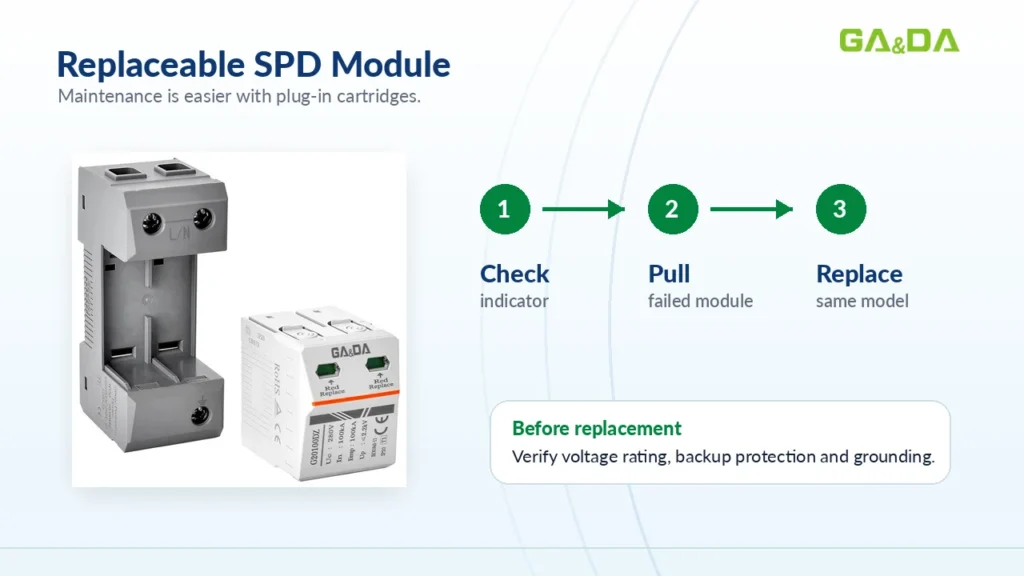
In many plug-in SPD designs, only the failed cartridge needs to be replaced, while the base remains installed on the DIN rail. This makes maintenance faster and reduces wiring work.
Why Does an SPD Indicator Turn Red?
An SPD indicator may turn red for several reasons. The most common causes include repeated surge exposure, high-energy lightning current, temporary overvoltage, incorrect product selection, poor grounding or backup protection problems.
1. Repeated Surge Aging
Every SPD has a limited service life. Each surge event may slightly degrade the internal components. After many surge events, the SPD may eventually reach end of life.
This is common in:
Lightning-prone areas
Industrial facilities
Solar PV systems
Outdoor distribution panels
Sites with unstable power quality
Electrical systems with frequent switching operations
When the SPD reaches the end of its service life, the internal disconnector may operate and the indicator turns red.
2. Strong Lightning Current
A high-energy lightning surge may exceed the SPD’s discharge capability. If the surge current is too large, the SPD may disconnect to avoid overheating or safety risks.
This is why the correct SPD type matters. A Type 2 SPD should not be used as the only protection where Type 1 lightning current protection is required.
For main distribution boards, outdoor installations or buildings with higher lightning exposure, a Type 1 or Type 1+2 SPD may be more suitable.
3. Temporary Overvoltage
Temporary overvoltage, often called TOV, can stress or damage an SPD. It may occur due to:
Neutral faults
Grounding problems
Grid faults
Incorrect wiring
Abnormal system voltage
Phase loss or unbalanced voltage conditions
If the SPD’s Uc value is too low for the actual system voltage, it may fail early. That is why the maximum continuous operating voltage must match the electrical system.
4. Incorrect AC or DC SPD Selection
AC SPDs and DC SPDs are not the same. A standard AC SPD should not be installed on the DC side of a solar PV system.
DC systems require SPDs designed for DC voltage and DC arc behavior. If the wrong SPD is installed, the module may fail quickly, and the indicator may turn red.
For solar PV systems, always select a DC-rated or PV-rated SPD with a suitable Ucpv value, such as 1000 V DC or 1500 V DC, depending on the actual system voltage.
5. Wrong Voltage Rating
If the SPD voltage rating does not match the system, early failure may occur.
For example:
A 275 V AC SPD should not be used in a system where the continuous voltage exceeds its rating.
A 1000 V DC SPD should not be used in a 1500 V DC PV system.
A signal SPD should not be used in a power circuit.
An SPD with the wrong pole configuration may not protect the circuit correctly.
Voltage selection is one of the most important steps in SPD application.
6. Poor Grounding
An SPD must be connected to a proper grounding system. If grounding is poor, surge current cannot be discharged effectively.
Poor grounding may cause:
Reduced protection performance
Higher residual voltage
Faster SPD degradation
Equipment damage despite SPD installation
Frequent SPD failure
During maintenance, the grounding conductor, connection point and cable length should be checked carefully.
7. Backup Fuse or Circuit Breaker Problem
Many SPDs require backup protection, such as a fuse, MCB or MCCB. If the backup protection is incorrectly selected, it may not coordinate properly with the SPD.
This can affect:
Fault isolation
System safety
Maintenance convenience
Short-circuit protection
SPD service life
Always follow the SPD manufacturer’s recommended backup protection rating.
Can an SPD Be Reset After the Indicator Turns Red?
In most cases, no.
When an SPD status window turns red, the protection module usually needs to be replaced. Unlike a circuit breaker, most SPD modules are not designed to be reset after end-of-life failure.
Many modern DIN rail SPDs use plug-in cartridges. This allows the failed module to be replaced without removing the entire base or rewiring the circuit.
Before replacing the module, check:
SPD model number
Rated voltage
Pole configuration
Backup fuse or circuit breaker
Grounding connection
System voltage
Possible cause of failure
Whether other poles are also damaged
Do not bypass a failed SPD or continue using a red-indicated module as if it were still protecting the system.
Red SPD Indicator vs Tripped Circuit Breaker
A red SPD indicator and a tripped circuit breaker are not the same thing.
The SPD indicator shows the condition of the surge protection module. The circuit breaker or backup fuse shows the status of the backup protection device.
Situation
Possible Meaning
SPD indicator green, breaker normal
SPD appears available for protection
SPD indicator red, breaker normal
SPD module has failed and should be replaced
SPD indicator red, breaker tripped
SPD failure or surge event may have triggered backup protection
SPD indicator green, breaker tripped
Circuit issue, upstream fault or coordination problem should be checked
No visible indicator
Check datasheet, remote contact or maintenance procedure
Both the SPD module and the backup protection device should be checked during routine maintenance.
What Is an SPD Remote Signaling Contact?
Some SPDs include a remote signaling contact. It is usually marked with terminals such as:
COM
NO
NC
This contact allows the SPD status to be monitored by an external alarm system, PLC, BMS, SCADA system or control panel.
When the SPD fails, the contact changes state and sends a signal to the monitoring system. This helps maintenance teams identify SPD failure even when the electrical panel is not inspected manually.
Where Is Remote Signaling Useful?
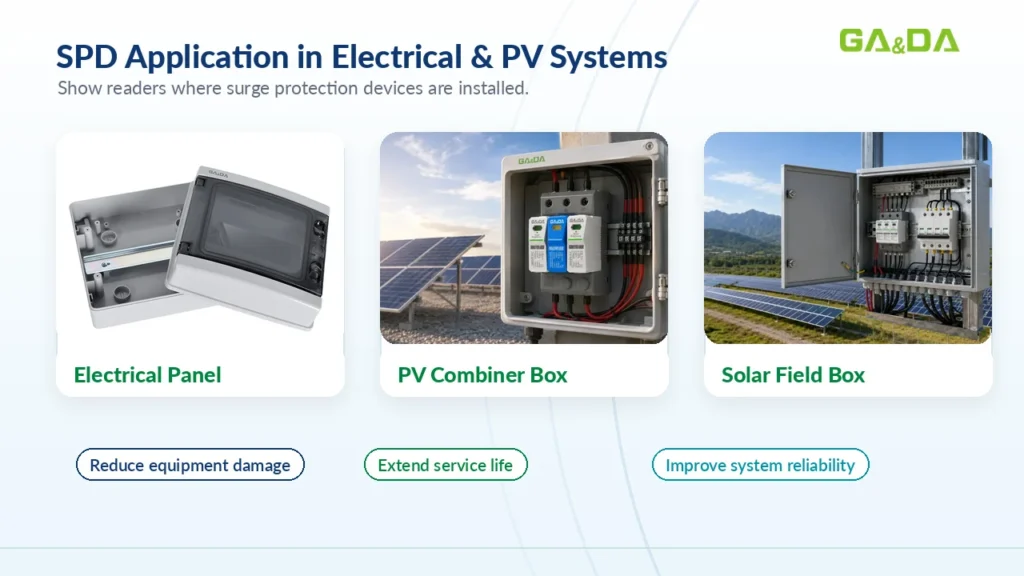
SPD remote signaling is especially useful in:
Industrial control cabinets
Solar PV combiner boxes
Data centers
Telecom systems
Remote electrical panels
Building management systems
EV charging stations
Critical power distribution systems
For critical installations, visual indication alone may not be enough. Remote monitoring helps reduce maintenance delay and improves system reliability.
How Often Should the SPD Indicator Be Checked?
SPD indicators should be checked regularly as part of electrical maintenance.
Recommended inspection times include:
During routine panel maintenance
After thunderstorms
After known lightning events
After grid faults
After equipment damage
During solar PV system inspection
Before restarting important equipment
During annual electrical safety inspection
For high-risk sites or remote systems, SPDs with remote signaling contacts are recommended so failure can be detected quickly.
What Should You Do When the SPD Window Turns Red?
If the SPD indicator turns red, follow these practical steps.
Step 1: Do Not Ignore the Red Window
A red window means the SPD module may no longer be active. The protected equipment may now be exposed to surge damage.
Step 2: Identify the SPD Model
Check the model number, voltage rating, pole configuration and replacement cartridge type.
Step 3: Check Backup Protection
Inspect the backup fuse, MCB or MCCB. Check whether it has operated, blown or tripped.
Step 4: Verify System Voltage
Make sure the SPD’s Uc or Ucpv rating matches the actual system voltage.
Step 5: Inspect Grounding
Check the grounding conductor, connection quality and wiring length. Poor grounding can reduce surge protection performance.
Step 6: Replace the Failed Module
Replace the failed SPD cartridge or module according to the manufacturer’s instructions.
Step 7: Record the Failure
For industrial and solar PV systems, record the failure date, SPD model, installation location and possible cause. This helps with future maintenance and system reliability analysis.
How to Choose an SPD with Reliable Failure Indication
When selecting a surge protection device, check whether the product includes clear maintenance features.
Important points include:
Red and green visual indicator
Replaceable plug-in module
Optional remote signaling contact
Suitable AC or DC voltage rating
Correct Type 1, Type 2 or Type 1+2 classification
Manufacturer-recommended backup protection
Clear wiring diagram
Complete datasheet
Suitable operating temperature range
For PV systems, also check whether the SPD is suitable for the required DC voltage, such as 1000 V DC or 1500 V DC.
How GA&DA Supports SPD Maintenance and Replacement
GA&DA provides surge protection devices for AC, DC and solar PV applications. Depending on the product series, options may include plug-in modules, clear red and green visual indicators, and remote signaling contacts for external monitoring.
If you are replacing failed SPDs or selecting new SPDs for electrical panels, PV combiner boxes, industrial control cabinets or distribution boards, GA&DA can help you choose suitable models based on:
AC or DC system type
Rated system voltage
SPD type
Discharge current rating
Visual indicator requirement
Remote signaling requirement
Backup fuse or circuit breaker
Installation environment
OEM or distributor needs
For maintenance replacement, project selection or bulk order inquiry, contact GA&DA to get suitable SPD recommendations.
FAQ About SPD Failure Indicators
What does a green SPD indicator mean?
A green SPD indicator usually means the surge protection module is in normal working condition and available for protection. However, wiring, grounding and backup protection should still be checked during maintenance.
What does a red SPD indicator mean?
A red SPD indicator usually means the SPD has failed, disconnected or reached end of life. The module should normally be replaced.
Can I reset an SPD after it turns red?
Most SPD modules cannot be reset after the indicator turns red. The failed cartridge or module usually needs replacement.
Why does an SPD fail?
An SPD may fail due to repeated surge events, strong lightning current, temporary overvoltage, wrong voltage rating, poor grounding, incorrect AC/DC selection or backup protection problems.
Does a red SPD mean my equipment is already damaged?
Not necessarily. A red SPD means the surge protection module may no longer be active. The protected equipment should be checked, especially if a surge or fault occurred.
What is an SPD remote signaling contact?
An SPD remote signaling contact allows SPD status to be monitored by an external alarm system, PLC, BMS, SCADA system or control panel.
Should I replace all SPD modules if one turns red?
It depends on the SPD design and system condition. At minimum, the failed module should be replaced. Other poles should also be inspected according to the manufacturer’s instructions.
How often should SPD indicators be checked?
SPD indicators should be checked during routine electrical maintenance, after thunderstorms, after grid faults and during solar PV system inspections.
Conclusion
The red and green window on an SPD is a simple but important maintenance indicator. A green indicator usually means the SPD module is available for protection, while a red indicator usually means the module has failed, disconnected or reached end of life.
When the indicator turns red, do not ignore it. Check the system voltage, backup protection, grounding and installation conditions before replacing the SPD module. For critical systems, SPDs with remote signaling contacts can help maintenance teams detect failure faster and reduce the risk of unprotected operation.
Looking for SPDs with clear status indication and reliable replacement options? Contact GA&DA for AC SPD, DC SPD, PV SPD and Type 1+2 SPD solutions for your electrical protection project.
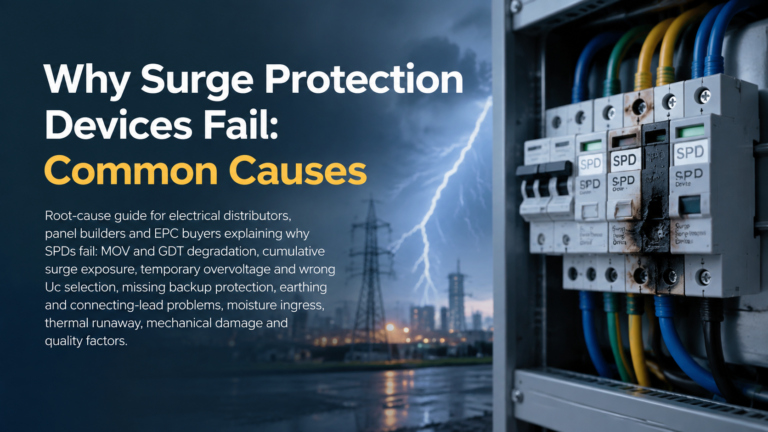
An SPD that has failed is not automatically a bad device. Most surge protection devices are sacrificial by design: they absorb surge energy, give up a little of their capacity each time, and eventually reach a condition in which they can no longer clamp anything useful and must come out of service. Ask why does […]
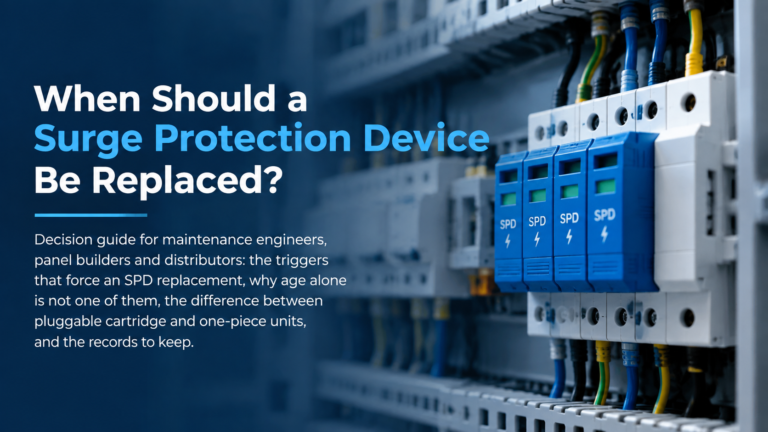
Ask when should an SPD be replaced and most answers stop at the status window. That is one input, and on its own a weak one: it shows that a device has reached end of life, never that a device is still fit for service. An SPD can be electrically exhausted while the window still […]
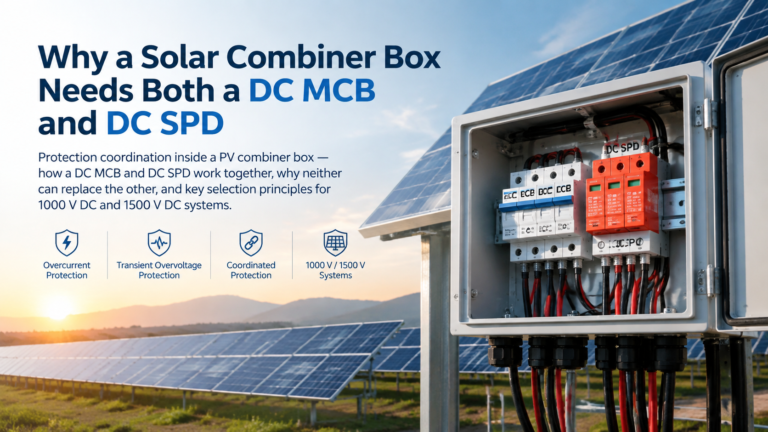
Why a solar combiner box needs both a DC MCB and a DC SPD: the division of labour between overcurrent and transient overvoltage protection, why neither device can substitute for the other, how they coordinate on the DC bus including the SPD backup protection requirement, and how the pairing changes between 1000 V DC and 1500 V DC systems.