When Should a Surge Protection Device Be Replaced?
Publicado: Autor: Rachel
Ask when should an SPD be replaced and most answers stop at the status window. That is one input, and on its own a weak one: it shows that a device has reached end of life, never that a device is still fit for service. An SPD can be electrically exhausted while the window still looks normal. This guide is about the timing decision — what forces a replacement, what means monitor, and what means test first. What the indicator itself means is covered in the SPD failure indicator guide, and why devices reach end of life at all is covered in why surge protection devices fail.
One rule governs everything below. Work on an SPD enclosure only after isolating and proving dead, with the correct PPE. Never work on energised PV strings — a PV array is live whenever there is daylight on it, whatever the panel switch says.
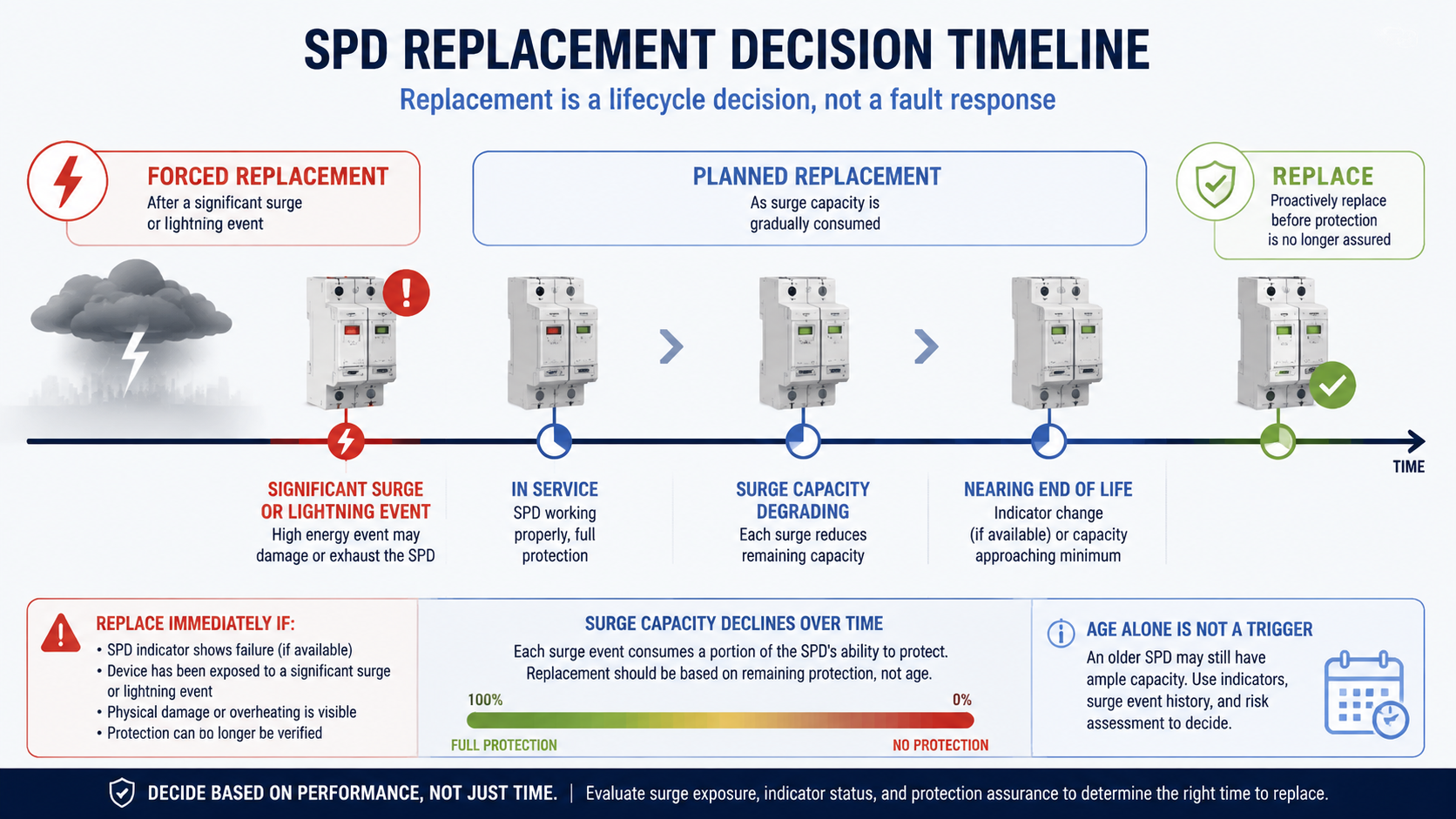
Replacement is a lifecycle decision, not a fault response
Most maintenance is event-driven: something stops working, you find out why, you fix it. SPD replacement is different, because the device is designed to degrade quietly while continuing to pass current to the load. So the decision has two arms, and collapsing them into one is where most mistakes start:
Forced replacement — something has happened that makes the device unusable or untrustworthy: the disconnector has operated, the module shows heat damage, a surge beyond its rating passed through it, or the system it was selected for has changed.
Planned replacement — nothing has failed, but the evidence says most of the device’s capacity is consumed, so you schedule the swap instead of discovering it after a storm.
Service life is consumed by events, not by the calendar. Forced replacements sit at the event; planned replacements sit where the record says capacity is nearly spent.
Input 1: the status window is one input, not the answer
The indicator is the fastest check you have and belongs in every routine inspection, but it is not sufficient on its own. It reports the state of the disconnector, not the residual performance of the element. It says nothing about a device degraded by stress the disconnector does not respond to, such as past TOV exposure below the trip threshold. And it cannot tell you whether the device absorbed one large in-spec event or years of smaller ones — the replacement decision is the same either way, but what you do about the installation is not.
Where the window sits between positions, or has changed with no known event, treat it as replace-and-investigate. An SPD with an unclear disconnector state cannot be relied on to fail safely.
Input 2: replace after any significant surge or lightning event
This is the trigger most sites miss, because a nearby strike leaves no paperwork. The device has just done the largest job of its life, and the indicator may be inconclusive for days — or may never move, if the element handled the event within its capability.
Treat the SPD as due for replacement when a significant transient event is known to have occurred at or near the installation and any one of these is true:
The indicator has changed state — operated, partly operated, or showing a fault indication.
There is discolouration, a burning smell, visible cracking, soot, or heat marking at the enclosure.
The event damaged other equipment on the same supply, or nearby installations.
Site records show lightning or switching activity at the time of an unexplained equipment failure.
What counts as significant is installation-specific; no universal threshold exists. Agree one with your maintenance team using the events your own service history records — a strike to the structure or its lightning protection, activity within the locality, a utility fault, or a large switching operation. How much surge energy a device is built to absorb is described in Iimp, In and Imax explained; compare the event against your own datasheet rather than assuming the device survived.
Replacing after a major event is not waste. A device that has just spent much of its rated capability has an unknown remaining life, and a replacement module costs little against the next event it fails to clamp.
Input 3: cumulative exposure — why age alone is not a trigger
SPD service life is measured in energy absorbed, not in years. Two devices installed on the same day in different buildings can be at opposite ends of their useful life, and the calendar will never show it. That is why a blanket “replace every five years” rule is the wrong instrument: it retires healthy devices in benign locations and leaves exhausted ones in exposed locations.
Exposure accumulates faster where the supply runs long distances overhead or through exposed routes; where the site is coastal, elevated or otherwise lightning-prone; where heavy switching loads such as large contactors, welding plant, drives and capacitor banks are present; and where a neighbour in the same bank has already failed, leaving the survivors to take the extra duty since.
Age still matters as a prompt, not a trigger. Once a device is old enough that its expected service condition is likely to have been consumed, move it onto the test-and-inspect list. Use the manufacturer’s service expectations for your specific model, verified against the datasheet and nameplate — not a generic figure, and not the same interval you apply to a different device class.
Input 4: physical signs that force replacement
Physical evidence overrides the indicator. If you can see or smell damage, the decision is made; the only open question is whether a replacement alone is enough or the installation around it needs correcting. Record and photograph the condition before removing anything.
What you find
What it usually means
Ação
Discoloured housing, dark streaks near vents
Sustained overvoltage or thermal stress; the element has been running hot
Replace. Check Uc selection and backup protection before fitting a new unit
Burning smell, soot, or a sharp ozone smell at the enclosure
A recent destructive event, or thermal runaway already under way
Isolate immediately. Replace, and inspect adjacent wiring, terminals and insulation
Cracked or deformed housing, split module body
Mechanical damage, thermal expansion, or an internal arc
Replace. Check mechanical clearance and vibration as the cause
Loose module in its base, heat-marked terminals
Poor contact — high resistance, local heating, unreliable clamping
Replace the module; inspect the base and terminals before reuse
Corrosion or condensation inside the enclosure
Ingress has reached the device and its terminals
Replace, and correct the enclosure sealing or ventilation
Charred or discoloured connecting leads
The SPD conducted a large current; the leads may no longer be sound
Replace the device and the leads; verify conductor length and routing
Where damage extends into the busbar, the backup protection or adjacent devices, this is no longer a device swap. Start from the checks in SPD backup fuse or circuit breaker.
Input 5: after a TOV event or a utility-side fault
A temporary overvoltage lasts for cycles or seconds rather than microseconds, forcing the SPD to conduct continuously — the condition it is least able to survive. Typical causes are a lost neutral or broken PEN conductor, a single-phase earth fault in a system with a different earthing arrangement, capacitor-bank switching, and transfer operations between supply sources.
TOV exposure does not announce itself at the device. An SPD may have been driven close to its thermal limit without the disconnector operating, leaving reduced capability behind a window that still reads normal. The trigger is therefore the event, not the device appearance:
Any confirmed loss of neutral, broken PEN conductor, or sustained overvoltage on the supply.
A utility-side fault, transformer or tap-changer operation, or a recorded excursion above the device’s continuous operating voltage.
Any period where supply voltage was known to be abnormal for more than a few cycles.
Plan the replacement rather than waiting for the indicator, and re-check that Uc suits the system’s earthing arrangement and maximum sustained voltage — a wrong Uc is the most common reason a TOV destroys an SPD. Confirming the device’s real state is covered in Como testar um dispositivo de proteção contra picos de tensão.
Input 6: after panel modification or a voltage change
An SPD is selected for the system it sits in, so when the system changes the old device may no longer be the right device. Replacement is due when panel work has changed the earthing arrangement or added a source such as a generator, UPS or transformer; when the system voltage or DC string class has changed, for example 1000 V to 1500 V; when new high-surge equipment such as a large drive or a second incoming supply has been added; when the backup protection feeding the SPD has been replaced with a different rating or type; or when the SPD has been relocated and its connecting leads lengthened.
Do not simply reorder the same part number in these cases. Re-verify the device against the new conditions and fit the correct specification, drawn from the dispositivos de proteção contra picos de tensão range.
Replace the module or the whole device?
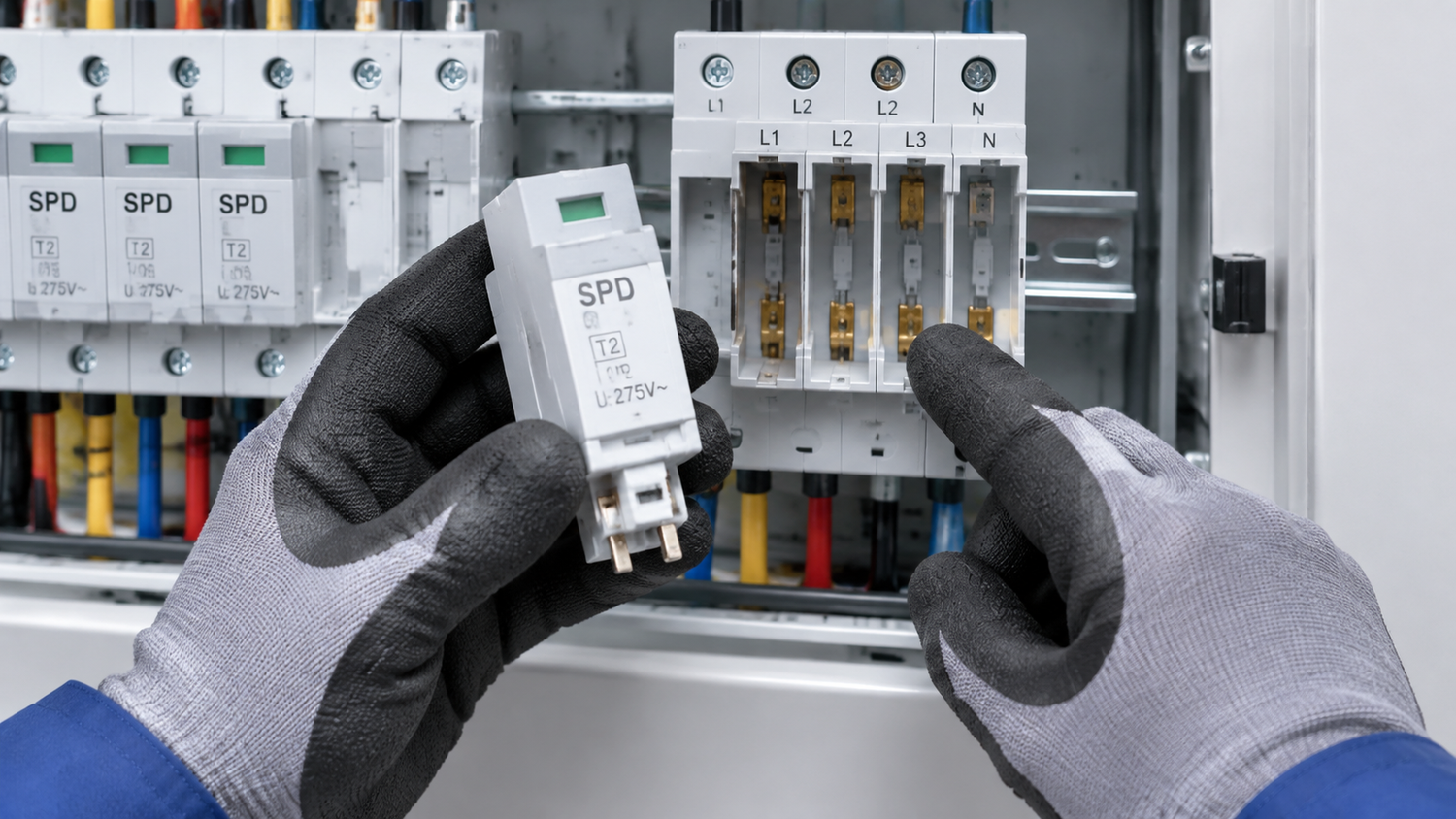
What “replacement” means physically depends on construction: a pluggable SPD has a base that stays wired in the panel and a cartridge module that unplugs from it, while a one-piece SPD is a single unit whose terminals must be disconnected.
Aspect
Pluggable cartridge module
One-piece device
What you replace
The module only; base and wiring stay undisturbed
The whole device, including its terminations
Isolation
De-energise and prove dead; never pull a module under load
Full isolation and re-termination at the device
Check before fitting
Base contacts and terminals for heat or arcing
Terminal torque, conductor condition, lead length and routing
Downtime and risk
Lower — no rewiring, so fewer chances to introduce a fault
Higher — every connection is remade and must be re-checked
Record to keep
Module type and variant, date, reason, indicator state at removal
Full device identification, date, reason, plus re-commissioning checks
Two practical points follow. If a cartridge base shows heat damage or arcing, the base must be replaced as well — a new module will not restore protection. And keep the replacement matched: fitting a different module type into an existing base changes the protection level and can break coordination with the backup protection.
Before fitting a replacement module, inspect the base contacts and terminals. Damaged base, damaged device — both come out.
What to record and keep
The record is what turns future decisions from guesswork into planning. For each SPD, keep its identity — device type, catalogue reference, module variant, and its panel, circuit and physical position; its installation date and the system conditions it was selected for; every inspection with date, indicator state and observations; every event, whether or not the device was replaced; and every replacement, with date, reason, part fitted and the condition of the unit removed.
Keep the removed module, or a photograph of it, until the replacement is signed off — condition at removal is the evidence that tells you whether your replacement policy is working. And note the sequence of events, not just dates: three replacements in two years on the same device says something about the site that no single entry will.
Decision flow: monitor, test, replace
Work the inputs in a fixed order so the decision does not drift between inspectors:
Has an event occurred? A significant surge, lightning event, or TOV or utility-side fault — replace regardless of what the indicator shows.
Is there physical damage or a burning smell? Isolate and replace, and investigate the cause.
Has the indicator operated, partly operated, or become ambiguous? Replace.
Has the system changed? Voltage, earthing, sources, backup protection or point of protection — re-verify the specification and replace if the device no longer matches.
Is the device old, or is the site high-exposure? Move it onto the test-and-inspect schedule rather than replacing on age alone.
Is the state still uncertain? Test where a test is practicable; if it is not possible, or the result is inconclusive, treat the device as due for replacement. An unverifiable SPD is not protection.
Then review the record at intervals. If devices are retiring far sooner than expected, the answer is usually in the installation rather than the schedule: excessive connecting-lead length, poor earthing, a mismatched Uc or missing backup protection will keep retiring devices early until it is corrected.
Perguntas frequentes
Do I have to replace an SPD if the indicator still shows green after a storm?
Not automatically, but do not assume it is unaffected either. The indicator reports disconnector state, not how much capacity was consumed. If the storm was close enough to damage other equipment on the same supply, replace the device or test it by the manufacturer’s method.
Is there a set number of years after which an SPD must be replaced?
No. Service life is consumed by absorbed surge energy, not by time, so identical devices of the same age on different sites can be at completely different points in their working life. Age tells you when to start testing and inspecting more closely, not when to replace on its own.
Can I replace just the cartridge in a pluggable SPD?
Yes, that is the intended service action. De-energise and prove dead first, and never remove a module under load. Check the base contacts for heat damage, discolouration or arcing before fitting the new module; a damaged base must be replaced too, and the module must be a matched type for that base.
How soon after a lightning strike should the SPD be checked?
As soon as it is safe to do so, and before the panel is relied on again. Look for indicator movement, discolouration, a burning smell, cracking and loose modules, and check whether the backup protection operated. Replace the device if any of those are present, or if the strike damaged other equipment on the same supply.
What if a replacement SPD fails again quickly?
That points to the installation rather than the device. The usual causes are a Uc too low for the system’s sustained voltage, missing or incorrectly sized backup protection, poor earthing, excessive connecting-lead length, or a recurring TOV condition. Investigate those before buying another device, and check the site’s history of utility faults or neutral problems.
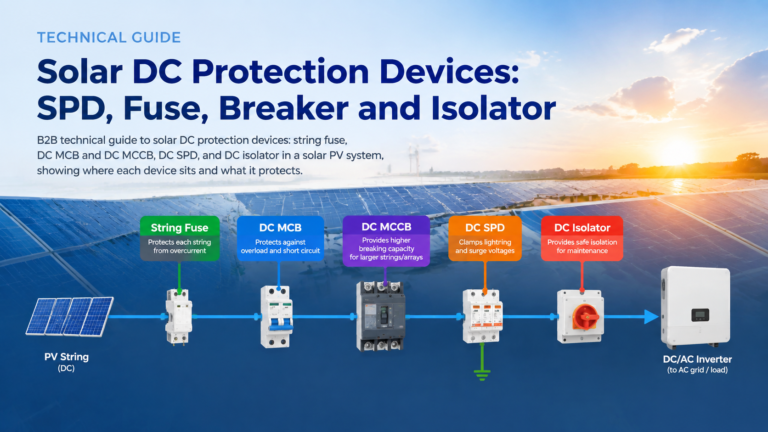
Why a solar combiner box needs both a DC MCB and a DC SPD: the division of labour between overcurrent and transient overvoltage protection, why neither device can substitute for the other, how they coordinate on the DC bus including the SPD backup protection requirement, and how the pairing changes between 1000 V DC and 1500 V DC systems.
A datasheet tells you what a device can do. An SPD specification sheet tells a supplier what you need — and it decides whether the quotes you receive can be compared at all. Enquire with a part number or two lines of description and you will get prices built on different assumptions: different protection levels, […]
Solar DC protection is a chain, not a purchase. In one array you can have a reverse current from nine healthy strings into one faulted string, a lightning-induced impulse arriving on the same conductors, and a maintenance team that needs to work on the inverter DC input — three problems that share a cable and […]